The Designer's Toolkit — Plus
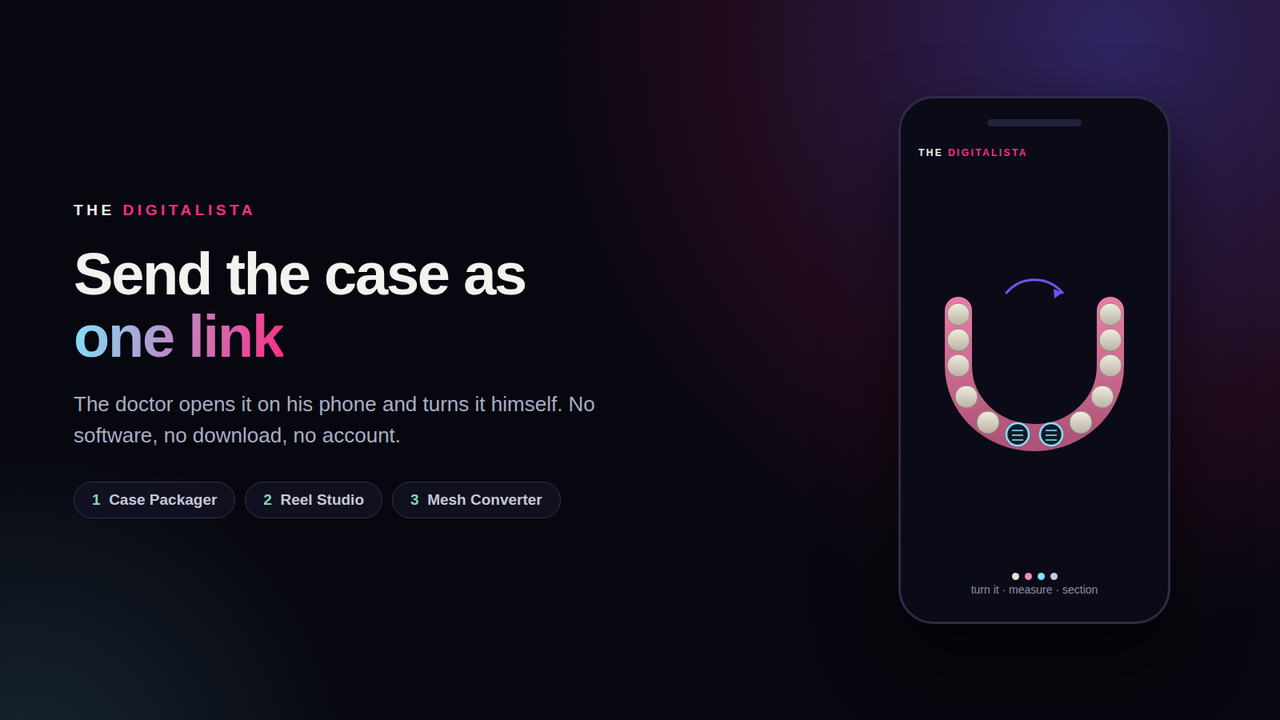
One file. The doctor opens it on his phone. No install.
WHAT THIS IS
Three desktop tools for the digital dentistry designer. They run on your own
computer, inside your browser. Nothing uploads, no server, no account.
1 — CASE PACKAGER
Drop the layers of a case (bone, scan, wax-up, implants, guide) and get back
ONE file that opens by itself in any browser. The doctor turns it, measures,
cuts a cross-section, switches layers off. Nothing to install on his side.
Reads STL, PLY and OBJ. A coloured PLY keeps its colour. A textured OBJ keeps
its picture.
2 — REEL STUDIO
The same layers, turned into a vertical clip ready to post: a full slow turn,
the layers arriving one by one, or the outer shell fading to show what is
inside. Your mark in the corner. No music on purpose — you add trending audio
inside the app, where the platform counts it.
3 — MESH CONVERTER
STL, PLY and OBJ in any direction. A textured OBJ (normally three files that
get separated) comes out as one PLY with the colour baked onto the points. It
also welds repeated points, which usually cuts the file to about a third.
WHAT YOU GET
· The three tools (HTML files — double-click to open, works offline)
· A 2-page quick-start sheet: how to turn a case into a link in 40 seconds
· Free updates for 2 years, to the same email
· Lifetime licence — the copy you own keeps working forever
WHO IT IS FOR
Anyone who delivers a design to a doctor or a lab and is tired of sending six
screenshots followed by "what does it look like from the other side?"
NOT INCLUDED
CBCT / DICOM. That is volume data and a different thing entirely.
These tools are for presenting and delivering work. They are not diagnostic or
clinical measurement tools; the clinical decision remains the treating
clinician's.
The digitalista
Dentist · Designer · I build the tools and teach the method.
Complex implant planning education + design software.
J Dent ×2 | B4D Master Instructor | Founder, The Digitalista